
CCTV Camera Not Recording? 10 Common Causes and How to Fix Them
A CCTV camera not recording can leave your home, office, shop or business premises without the security footage you may need when an incident occurs. Sometimes the cameras display live pictures perfectly, but when you try to play back footage from yesterday or last week, nothing is available.
This is a common problem with CCTV security systems, including DVR, NVR and IP camera installations. The good news is that not every recording problem requires replacing your cameras or recording equipment.
At AVS Security South Africa, we help customers identify CCTV recording faults, repair damaged security equipment and restore reliable video surveillance.
In this guide, we explain 10 common reasons why a CCTV camera stops recording, the checks you can safely perform and when professional CCTV repairs may be necessary.

📞 Call AVS Security Systems +27117911706

Table of Contents
1. CCTV Camera Not Recording Because of Hard Drive Problems
One of the first components to investigate is the hard disk drive (HDD) installed inside your DVR or NVR.
The hard drive stores recorded video footage. If the drive develops a fault, becomes disconnected or is not recognised by the recording system, your cameras may continue displaying live video without saving recordings.
Signs of a faulty CCTV hard drive
- Cameras display live images but playback is unavailable.
- The DVR or NVR displays an HDD error.
- A recording device produces an audible warning.
- The storage menu shows the hard drive as abnormal or missing.
- Previous recordings are inaccessible.
What you can check
Open your recorder’s storage or HDD management menu and check whether the hard drive is detected and its status is normal.
If the system reports an error, contact a CCTV technician to investigate.
Important: Do not format or initialise a hard drive containing footage you need. These operations can erase recordings, and a faulty drive may require specialist recovery.
2. Incorrect CCTV Recording Schedule
A CCTV camera not recording continuously might simply have an incorrect recording schedule.
Modern CCTV systems can be configured to record:
- Continuously, 24 hours a day.
- Only when movement is detected.
- During selected hours.
- When specific events or alarms occur.
For example, if your cameras are programmed to record from 18:00 to 06:00, you may find no footage from the middle of the day.
How to check your recording schedule
- Log in to your DVR or NVR.
- Open the recording or storage settings.
- Find the recording schedule.
- Select the affected camera.
- Check the configured days and hours.
- Confirm that the desired recording mode is enabled.
Menu names depend on the manufacturer and model.
For customers who require continuous surveillance, a properly configured 24-hour recording schedule is usually a practical option, provided sufficient storage is available.
3. CCTV Camera Not Recording After a Power Outage
Power interruptions and electrical problems can affect CCTV systems in South African homes and businesses.
After a power outage, some recording equipment may fail to restart normally, while cameras, network switches or storage devices may remain offline.
Even when the recorder restarts successfully, a camera or other connected device may not have power.
Common power-related problems
- Faulty CCTV power supplies.
- Damaged power adapters.
- Failed Power over Ethernet (PoE) switches.
- Faulty UPS or backup power equipment.
- Loose power connectors.
- Voltage fluctuations affecting recording equipment.
What should you do?
Check whether your DVR, NVR and cameras are receiving power.
Look at the recorder’s status indicators and check whether all cameras appear online.
If the system repeatedly fails after power interruptions, arrange a professional inspection of the electrical supply and backup power equipment.
AVS Security can assist with identifying CCTV power problems and recommending suitable backup solutions.
4. Hard Drive Full and Recording Overwrite Disabled
Most CCTV recording systems have a limited amount of storage.
The number of recording days depends on several factors, including:
- Number of cameras.
- Camera resolution.
- Recording frame rate.
- Video compression.
- Continuous or motion-based recording.
- Hard drive capacity.
Many DVRs and NVRs support an overwrite function that replaces the oldest footage once the available storage has been used.
If overwrite is disabled and the hard drive becomes full, recording may stop.
How to investigate
Check the available storage space and whether overwrite recording is enabled.
Remember that enabling overwrite allows older footage to be deleted automatically. Any important recordings should be exported and preserved before changing the storage settings.
If your system does not retain footage for the required number of days, you may need a larger compatible surveillance hard drive.
5. CCTV Camera Offline or Network Connection Lost
IP cameras communicate with an NVR through a network connection.
If a camera loses communication with the recorder, footage from that camera may stop recording.
Possible causes include damaged network cables, poor cable terminations, network switch faults, unstable PoE power or incorrect network settings.
Common symptoms
- The camera displays “Offline” or “Disconnected”.
- One camera stops recording while the others continue.
- Live video freezes or disappears intermittently.
- Recording interruptions occur at different times.
What can you check?
Verify that the camera appears online in the recorder’s camera management menu.
If several cameras connected to one switch fail together, the switch or its power supply may be responsible.
Professional troubleshooting may require network testing, PoE measurements, cable testing and camera communication checks.
6. Motion Detection Not Configured Correctly
Some CCTV systems record only when movement is detected.
If motion detection is disabled or configured incorrectly, the system may fail to save footage even though the camera is operational.
Possible configuration issues include:
- Motion detection disabled.
- Incorrect detection zones.
- Sensitivity configured too low.
- Recording events not linked to the correct camera.
- Recording schedules excluding certain hours.
- Smart detection rules filtering out expected activity.
Recommended checks
Review your motion detection settings and recording schedule.
Walk through an area covered by the camera and confirm that movement produces a recording event.
Be aware that motion detection works differently across camera brands and models.
For critical surveillance areas, continuous recording or an appropriately configured combination of recording modes may provide more consistent footage.
7. Damaged CCTV Cables and Connectors
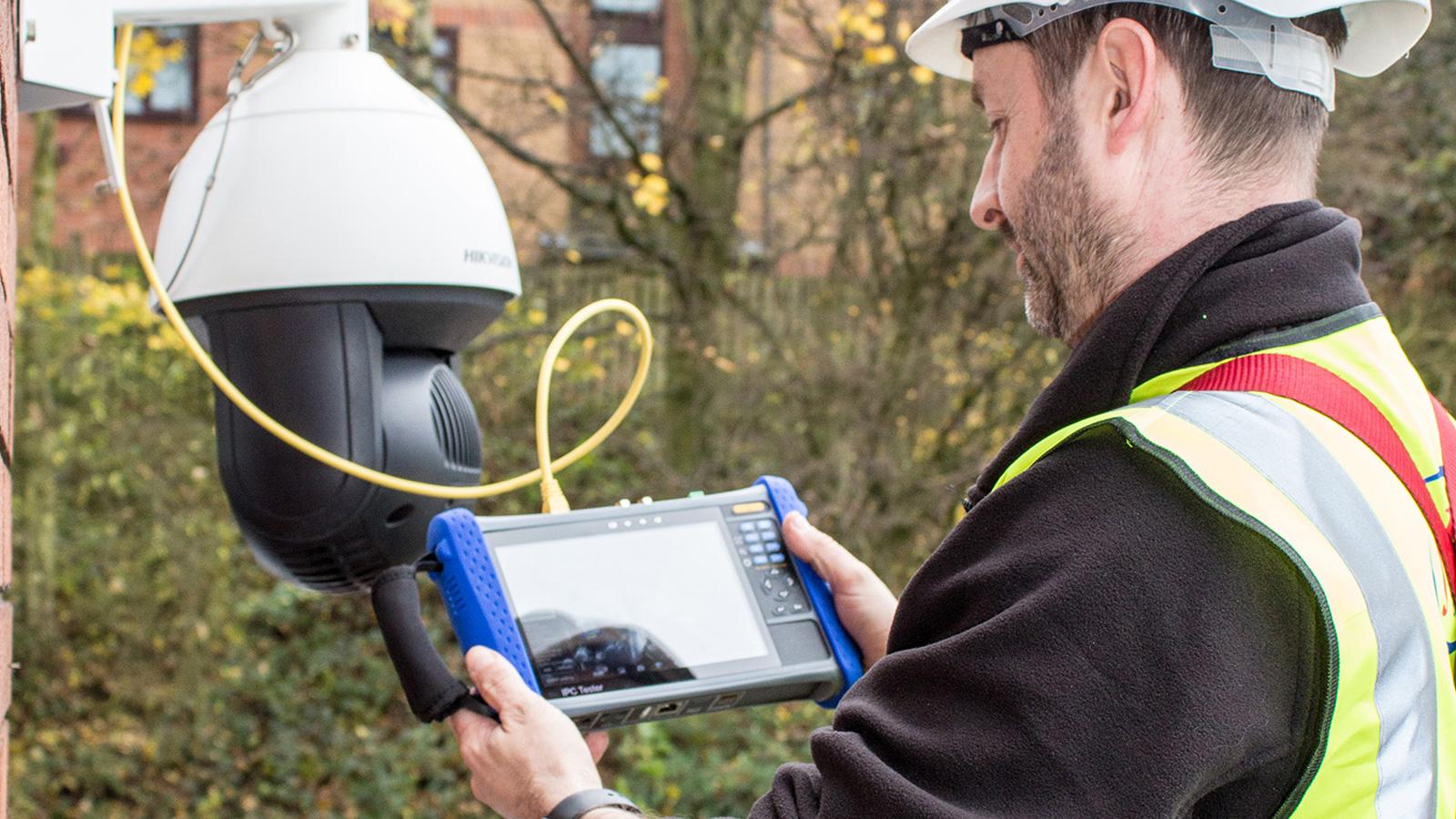
A CCTV camera not recording may indicate a damaged cable or an unreliable connection between the camera and recorder.
CCTV cables can deteriorate because of moisture, corrosion, poor installation, rodent damage or exposure to harsh environmental conditions.
Analogue CCTV systems commonly use coaxial cables or suitable twisted-pair cabling with video baluns.
IP CCTV systems commonly use network cables such as Cat5e or Cat6.
Signs of cable problems
- Intermittent video loss.
- Cameras frequently connecting and disconnecting.
- Distorted or unstable images.
- Cameras failing after heavy rain.
- Visible corrosion around connectors.
External cable joints and connectors should be properly protected against water ingress.
A qualified CCTV technician can test cable continuity, inspect terminations and replace damaged connections.
8. Incorrect Date and Time on the CCTV Recorder
Sometimes the CCTV footage is recorded, but it appears to be missing because the DVR or NVR has the wrong date or time.
For example, a recorder with an incorrect system clock may save footage under a different date.
This can happen after configuration changes, time synchronisation problems or hardware faults.
How to check
Open your recorder’s system settings and verify:
- Current date.
- Current time.
- Correct time zone.
- Time synchronisation settings.
Then search the playback menu using the correct camera channel and appropriate date range.
A correctly configured time synchronisation service can help maintain accurate recording timestamps.
Accurate timestamps are particularly important when footage is needed to investigate theft, vandalism or other security incidents.
9. CCTV Camera Recording but Not Showing Footage on Your Phone

Not every remote viewing problem is a recording fault.
Your DVR or NVR may be recording correctly while your smartphone application cannot retrieve the footage.
Possible causes include:
- Internet connectivity problems.
- Incorrect application permissions.
- Device connection problems.
- Remote playback configuration issues.
- Incorrect date or camera selection.
- Mobile application compatibility problems.
How to identify the problem
First, try viewing recorded footage directly from the DVR or NVR using its connected monitor or local interface.
If recordings are available locally, your storage system may be working correctly.
The problem could instead involve remote viewing, internet connectivity or mobile application settings.
AVS Security can assist with CCTV remote viewing configuration and troubleshooting.
10. CCTV Firmware or Recorder Configuration Problems
CCTV cameras and recorders use firmware to control their functions.
Incorrect configuration, software faults or incompatible firmware may affect recording and communication between devices.
Some problems appear after replacing a camera, changing recording settings or upgrading system components.
What should you do?
Check the device model and current firmware version.
Avoid installing firmware from unknown websites or using files intended for a different device model.
Before making changes, preserve important recordings and back up the configuration where supported.
Firmware upgrades and complex configuration repairs should be handled carefully because incorrect changes can make a CCTV system unusable.
How to Tell Whether Your CCTV System Is Actually Recording
A live CCTV image does not guarantee that your system is saving footage.
To confirm that your security cameras are recording:
- Open the playback menu.
- Select a camera.
- Choose the current date.
- Search for recordings from several minutes earlier.
- Play a short section of footage.
- Check that the date and time are correct.
- Repeat the test for other important cameras.
This simple test can identify problems before a security incident occurs.
For businesses, regular recording checks should form part of a CCTV maintenance routine.
Why Regular CCTV Maintenance Is Important
Many customers only discover CCTV faults after they need to retrieve footage.
Routine CCTV maintenance helps identify problems before they result in missing recordings.
A professional maintenance inspection may include:
- Checking every camera’s live image and playback.
- Testing DVR and NVR recording functions.
- Checking storage capacity and hard drive health.
- Inspecting CCTV power supplies.
- Testing network connections.
- Inspecting outdoor camera housings and cables.
- Cleaning camera lenses where necessary.
- Checking date, time and recording schedules.
- Testing smartphone remote viewing.
- Checking backup power performance.
The appropriate maintenance frequency depends on the system, the environment and the importance of the monitored areas.
When Should You Call a Professional CCTV Technician?
Some CCTV recording problems can be resolved by adjusting the correct system settings.
However, professional attention is recommended when:
- The DVR or NVR does not recognise its hard drive.
- Cameras repeatedly disconnect.
- Recording stops without an obvious reason.
- The system has suffered water or electrical damage.
- Several cameras are not recording.
- Important footage may have been lost.
- The system requires specialist cable or network testing.
- You are unsure whether the CCTV system is providing reliable protection.
Avoid opening electrical equipment or working at height without the necessary training and safety precautions.
Professional CCTV Camera Repairs by AVS Security
At AVS Security South Africa, we understand the importance of dependable CCTV surveillance for homes and businesses.
Our CCTV installation and repair services include fault finding, recording system troubleshooting, camera repairs, network connection checks, remote viewing assistance and general CCTV maintenance.
Whether your CCTV camera is not recording, your recorder is displaying an HDD error or you cannot access security footage, our team can help investigate the problem and recommend a suitable solution.
We work with different CCTV technologies, including IP camera systems, DVRs, NVRs and security camera recording equipment.
Learn more about our CCTV Camera Installation and Repairs services.
Frequently Asked Questions
Why is my CCTV camera showing live video but not recording?
Possible causes include a faulty hard drive, disabled recording schedule, incorrect motion detection settings or storage configuration problems. Check the recording menu and storage status first.
Can a CCTV camera work without a hard drive?
Some CCTV cameras support local microSD card or cloud recording. However, a DVR or NVR generally requires suitable recording storage to save video footage.
Does CCTV continue recording when the internet is off?
Many locally configured CCTV systems can continue recording to a DVR, NVR or memory card without internet access, provided the equipment remains powered and the necessary local connections are working. Remote viewing may be affected.
How long does CCTV footage stay recorded?
Recording retention depends on the hard drive capacity, number of cameras, resolution, compression settings and recording schedule. Systems configured to overwrite old recordings will delete the oldest footage as storage fills up.
Can lost CCTV recordings be recovered?
Recovery depends on what caused the problem. Some missing recordings may simply be stored under an incorrect date, while deleted, overwritten or physically damaged storage can be much harder or impossible to recover. Avoid further recording or formatting if important footage may still be recoverable, and seek professional advice promptly.
Conclusion: Don’t Wait Until Your CCTV Footage Is Missing
A CCTV camera not recording is a warning that your security system may not be providing the protection you expect.
Regular testing, proper recording configuration and professional maintenance can help keep your CCTV system working reliably.
If your cameras are offline, your DVR is not saving footage or your NVR has developed a fault, AVS Security is available to assist with CCTV troubleshooting and repairs.
Need help with your CCTV system?
Contact AVS Security South Africa for assistance.
📞 Call AVS Security Systems +27117911706
Email: info@avssecurity.co.za
AVS Security South Africa — Professional Security Systems Installation, Maintenance and Repairs.